- Features
One inbox for marketplace messages and customer support
Bring buyer messages and customer support together with the separate paid Chats add-on for MyOrders.
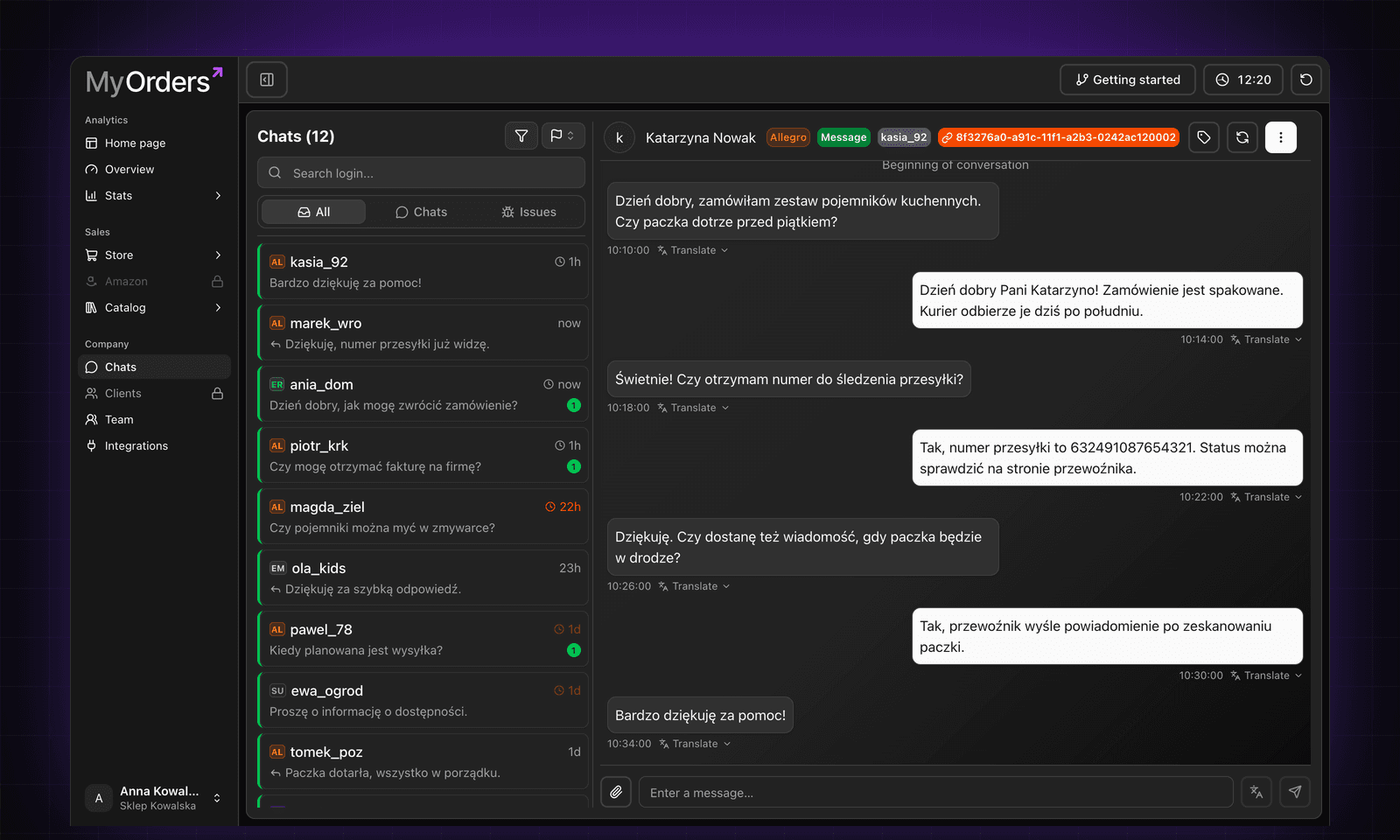
A buyer asks where their parcel is. Another needs an invoice, and a support message is waiting in a different inbox. Switching between marketplace accounts makes a busy morning harder. Bring buyer messages from all your connected marketplaces and customer support into one inbox with Chats, a separate paid add-on to MyOrders.
Start the day with every conversation in sight
Imagine opening your queue on Monday morning. Instead of working through a collection of browser tabs, your team can see conversations from connected sources together. Each row shows the buyer’s login, the source and a preview of the latest message. Unread markers make new messages easy to spot, and the time alongside a message helps you see how long it has been waiting.
Open a thread and the history appears beside the list. Your team can read the question, follow the exchange and answer from the same workspace. A buyer asking about a delivery can receive an update without forcing you to hunt for the conversation across accounts. When a colleague picks up the next message, the earlier replies are right there.
- See marketplace conversations and customer support in one queue.
- Recognise the buyer and source before opening a thread.
- Read the conversation history and reply from the same screen.
- Keep the linked order close to the conversation.
Find the messages that need you now
A shared inbox should help your team focus. Search by buyer login when someone calls about an order. Switch between “All”, “Chats” and “Issues” to concentrate on the type of work in front of you. Use the filter menu to narrow the list by status, read state, source or who is expected to reply.
For example, start with unread messages awaiting a reply from your team. Then select a source to work through a particular marketplace. Later, return to open conversations to pick up any remaining questions. You can select multiple sources and combine filters to make the queue useful for the job at hand.
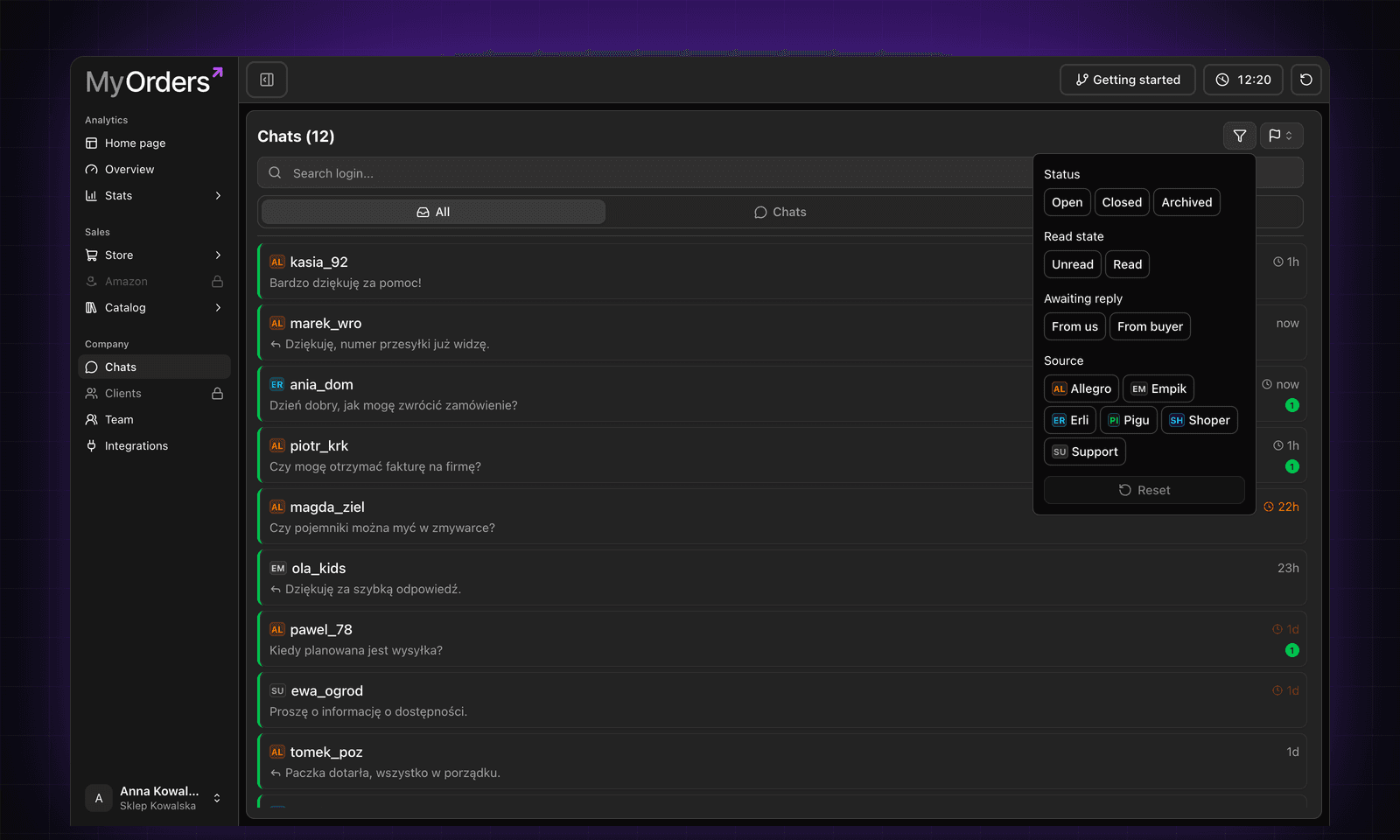
- Find unread messages without scanning the entire list.
- Focus on open conversations or revisit closed and archived ones.
- Separate replies your team owes from conversations waiting on the buyer.
- Select the sources you want to work through.
Give buyers clear answers with the context at hand
A delivery question often turns into a short exchange: the buyer asks when a parcel will arrive, your team provides an update and tracking information, and the buyer confirms they have what they need. The full thread keeps those details together. Buyer information and a linked order give your team a useful starting point when working on a question.
Use tags to organise conversations around your shop’s work, such as delivery questions or returns. Mark a thread read or unread to keep track of your queue, pin a conversation you want to find quickly, and archive completed work. Translation controls for messages and drafts help your team communicate with buyers in another language.
Make customer service easier to manage as you grow
More channels bring more opportunities to sell—and more conversations to handle. A single working view gives your team a practical routine: find the next question, read the history, reply and move on. It also gives a manager a clearer way to find a conversation when a buyer follows up or a colleague needs help.
Give your buyers a helpful response without making your team juggle inboxes all day. Chats brings messages from connected marketplaces and customer support together as a separate paid MyOrders add-on, so your team can keep service moving while you focus on the rest of your business.