- Features
Bring your selling services together
Find marketplaces, delivery and invoicing services in one directory.
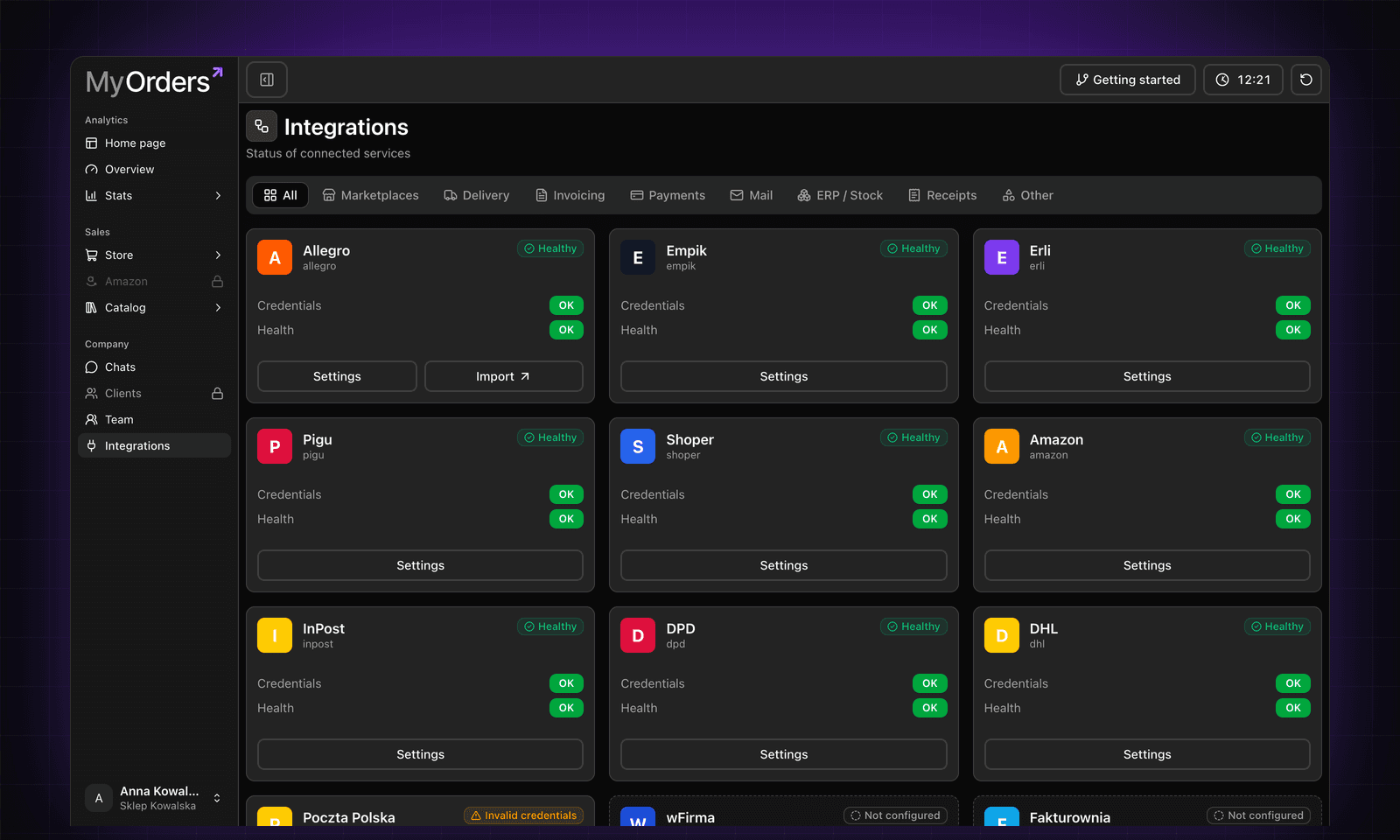
Your shop sells on several marketplaces and sends parcels with different carriers. Finding the right connection should not hold up a busy morning. MyOrders brings your services into one directory, with their status and settings close at hand.
Find the right service faster
Imagine a Monday morning when a delivery connection needs attention before parcels leave. Choose the delivery category, find the carrier and open its settings from the card. Your colleague sees the same provider name and status, making the next step easy to hand over.
Spot a connection that needs attention
Each card displays a status alongside separate checks for credentials and health. That distinction is useful when reviewing a connection: the presence of credentials and the health check are shown as different pieces of information. A card also offers a settings or configuration action, on the same card.
- Find the relevant provider without searching through unrelated settings.
- Review the displayed credentials and health checks.
- Open the provider’s configuration from its card.
This is particularly helpful as a shop adds channels or changes how it ships. Instead of relying on a colleague’s memory of where a setting lives, start with the provider’s card. If a check needs attention, open the settings and investigate the specific connection.
When you add a sales channel, start with the marketplace category. Allegro, Empik, Erli, Pigu, Shoper and Amazon each have a place in the directory. The same layout helps you find the relevant connection without learning a new route through the application for every service.
Make setup easier to hand over
As your business grows, that consistency can save repeated navigation and make a setup review easier to hand over. Start with the category, inspect the card and open the relevant settings. You can then return to fulfilling orders with a clearer picture of the services supporting the shop.
A regular check of the cards makes the services behind your shop easier to manage. Give the person responsible for shipping the delivery view, and let the person handling documents find the invoicing tools. Each can move directly from a provider card to its settings.
A seller might begin the morning by checking marketplaces, then move to delivery before the first collection. The category tabs keep those tasks focused. Pick the relevant group and scan its cards instead of searching a long list for a familiar provider.
The status on each card gives you an immediate place to focus. Credentials and health appear separately, with the provider’s settings close by. When a colleague takes responsibility for the connection, you can point them to one recognisable card and continue with the day’s orders.
The directory supports the way a growing shop divides work. A manager can review marketplace connections while another person looks after the carriers and someone else handles invoices. Everyone starts from the same structure and finds the service relevant to their task.
Start each review with the group that matches the task. Your team can find the provider, check its status and open the right settings without losing momentum in the order queue.